Contracts
NFT
Build NFT Contracts
The following is an example of building an NFT contract
git clone https://github.com/Generative-Labs/madara-nft-contract
cd madara-nft-contract
As madara does not yet support cairo versions higher than 2.1.0.
The toolchain needs to specify a lower version!
curl --proto '=https' --tlsv1.2 -sSf https://docs.swmansion.com/scarb/install.sh | sh -s -- -v 0.6.2
Build the contract using scarb
scarb clean && scarb build
Declare the NFT contract
The class_hash returned by the server when the current declare contract is needed in the deployment step.
Class Hash is an important concept in StarkNet. class hash is a hash value that uniquely identifies the code of a StarkNet contract. starkNet hashes the code of a contract into a fixed length value and uses this value to represent the contract. This helps ensure the uniqueness and security of the contract and allows for efficient state updates and validation on the chain.
A more detailed description of contract class_hash can be found in the starknet documentation
sncast --account 0x3 --url http://127.0.0.1:9944 \
    declare --contract-name MadaraNFT

The class_hash returned by the server when the contract is currently declared is needed in the deployment step.
Deploying the NFT contract
sncast \
    --account <account_name> \
    --url http://127.0.0.1:9944 \
    deploy \
    --class-hash <class-hash>
<class-hash> is the clash_hash of the terminal output from the previous declaration.
If you haven't deployed accounts yet, you can read the documentation on deploying accounts.
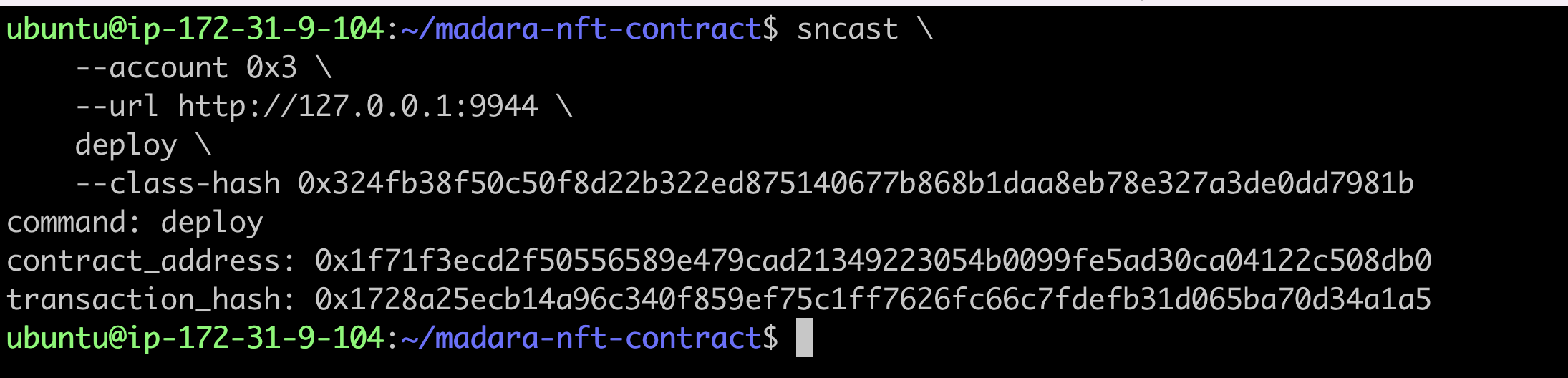
The contract_address returned by the command line is the address of the successfully deployed contract.
Mint
The token_id is the u256 type in cairo. The u256 has two components, high and low, in the form of an array.
token_uri_hex is the type felt252 in cairo.
Here is an example of using token_uri_hex in python
token_uri = 'i.ibb.co/7XK7CDZ/im-394091.jpg'

token_uri_hex = hex(int.from_bytes(token_uri.encode('utf-8'), 'big'))
sncast -u http://127.0.0.1:9944 \
    --account 0x3 \
   invoke --contract-address <contract_address> \
   --function "mint_with_url" \
   --calldata "<token_id> <token_uri_hex>"

Check Mint results
sncast -u http://127.0.0.1:9944 \
   call --contract-address <contract_address> \
   --function "token_uri" --calldata "<token_id>"

Transferring the NFT
Before transferring the NFT, a new account needs to be deployed.
create account
sncast \
    --url http://127.0.0.1:9944 \
    account create \
    --name <account_name> \
    --class-hash 0x6280083f8c2a2db9f737320d5e3029b380e0e820fe24b8d312a6a34fdba0cd
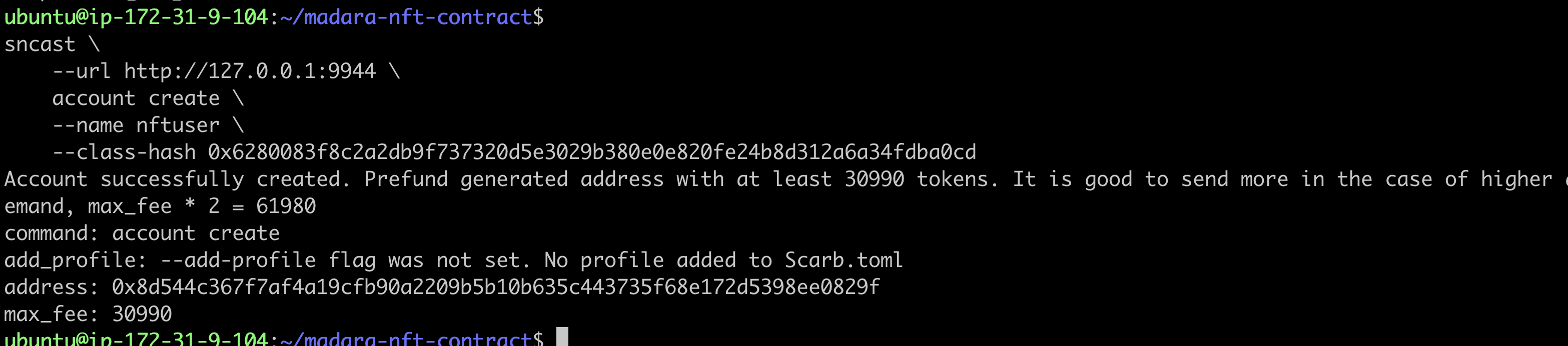
Update Account Balance
sncast -u http://127.0.0.1:9944 \
   --account 0x3 \
   invoke --contract-address 0x49d36570d4e46f48e99674bd3fcc84644ddd6b96f7c741b1562b82f9e004dc7 \
   --function "transfer" \
   --calldata "<YourAddress> 100000 100000"

Deploying a new account
sncast --url http://127.0.0.1:9944 \
    account deploy \
    --name <account_name> --max-fee 86460

Transferring NFT to a new account
sncast -u http://127.0.0.1:9944 \
   --account <origin_account_name> \
   invoke --contract-address <contract_address> \
   --function "transfer_from" \
   --calldata "<origin_account_address> <new_account_address> <token_id>"

Checking NFT transfer results
sncast -u http://127.0.0.1:9944 \
  call --contract-address <contract_address> \
   --function "owner_of" --calldata "<token_id>"

You can see that the NFT has been transferred to the new account.